What Boards and Ethics Offices Should Put on a Tip Line Before Launch

A board committee or ethics office can do a lot of internal preparation before launching a public reporting channel: decide who monitors it, review policy language, and agree on escalation paths. But the first practical test often happens earlier. A whistleblower opens the page and has to decide, in a few seconds, whether this is the right place to report and whether the organization behind it looks prepared to receive a serious message.
That is why launch work should not stop at creating an account. Hush Line gives recipients a shareable public tip line, profile setup fields for identity and supporting links, support for custom onboarding and whistleblower guidance, and custom branding that can make the page feel like an official part of the reporting program. Together, those features help employers, boards, and ethics offices set expectations clearly before the first message is typed.
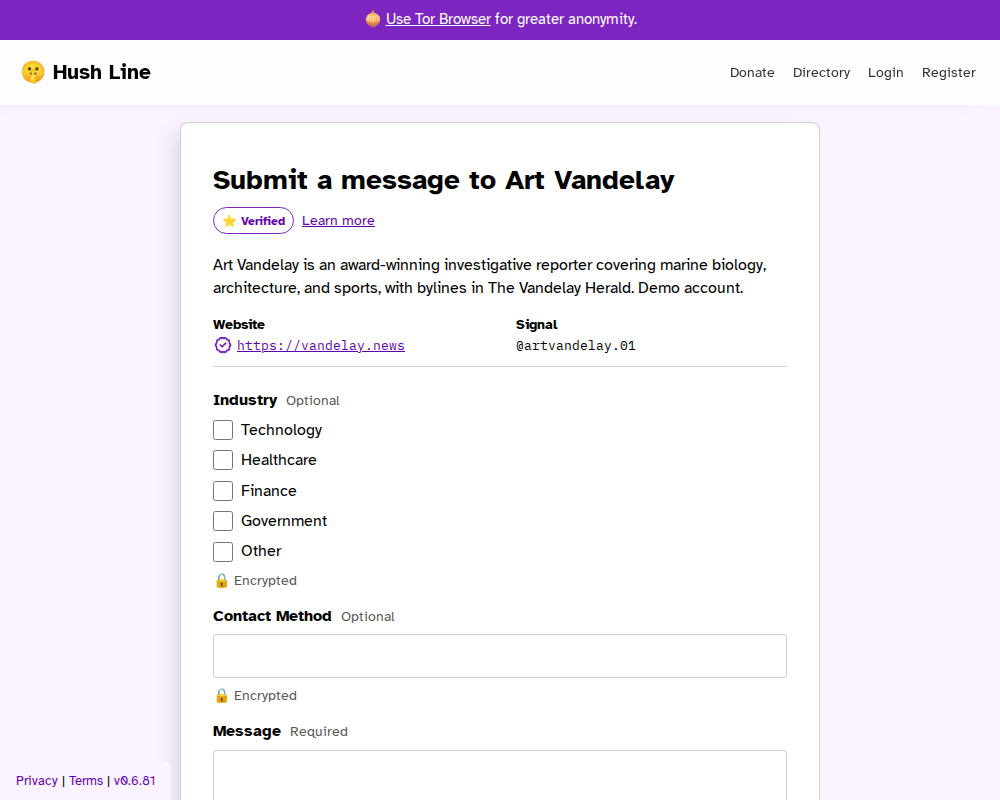
A public tip line can carry recipient-specific guidance so reporters see context before they begin a submission.
Start With The Questions A Reporter Will Ask
When someone lands on a board or ethics reporting page, they usually want immediate answers to a short list of questions:
- Who is receiving this?
- What kinds of concerns belong here?
- What details will help the recipient act on the report?
- Is this an official channel, or just an unattended form?
If the page does not answer those questions up front, the reporter has to guess. That creates avoidable hesitation at exactly the wrong point in the process.
Hush Line's support for custom onboarding and whistleblower guidance matters here because it gives organizations a way to put instructions on the public-facing tip line itself. For a board or ethics office, that guidance can be used to explain the intended scope of the channel before someone starts writing. In practice, that might mean clarifying that the line is for fraud, conflicts of interest, harassment, retaliation, procurement concerns, or other issues the office is responsible for reviewing.
That does not replace internal policy. It makes the public entry point easier to understand.
Profile Setup Is Part Of Launch, Not Decoration
The profile is where a recipient can add a clear bio and extra links. In the getting-started flow, Hush Line explicitly prompts new users to add information about themselves so their community has context before reaching out.
For employers and boards, this is more than a credibility detail. It is how the public page signals that the reporting channel belongs to a real office with a defined purpose.
Useful profile details for this kind of launch can include:
- the name of the board committee, ethics office, or reporting function
- a short explanation of what the channel is for
- links to a public governance page, code of conduct, or reporting policy
- contact references that help confirm the page is official
Those details make the tip line easier to trust. Combined with Hush Line's custom branding, they help the public page look intentional rather than improvised. They also reduce vague or misdirected submissions because people can see, before sending anything, whether they are in the right place.
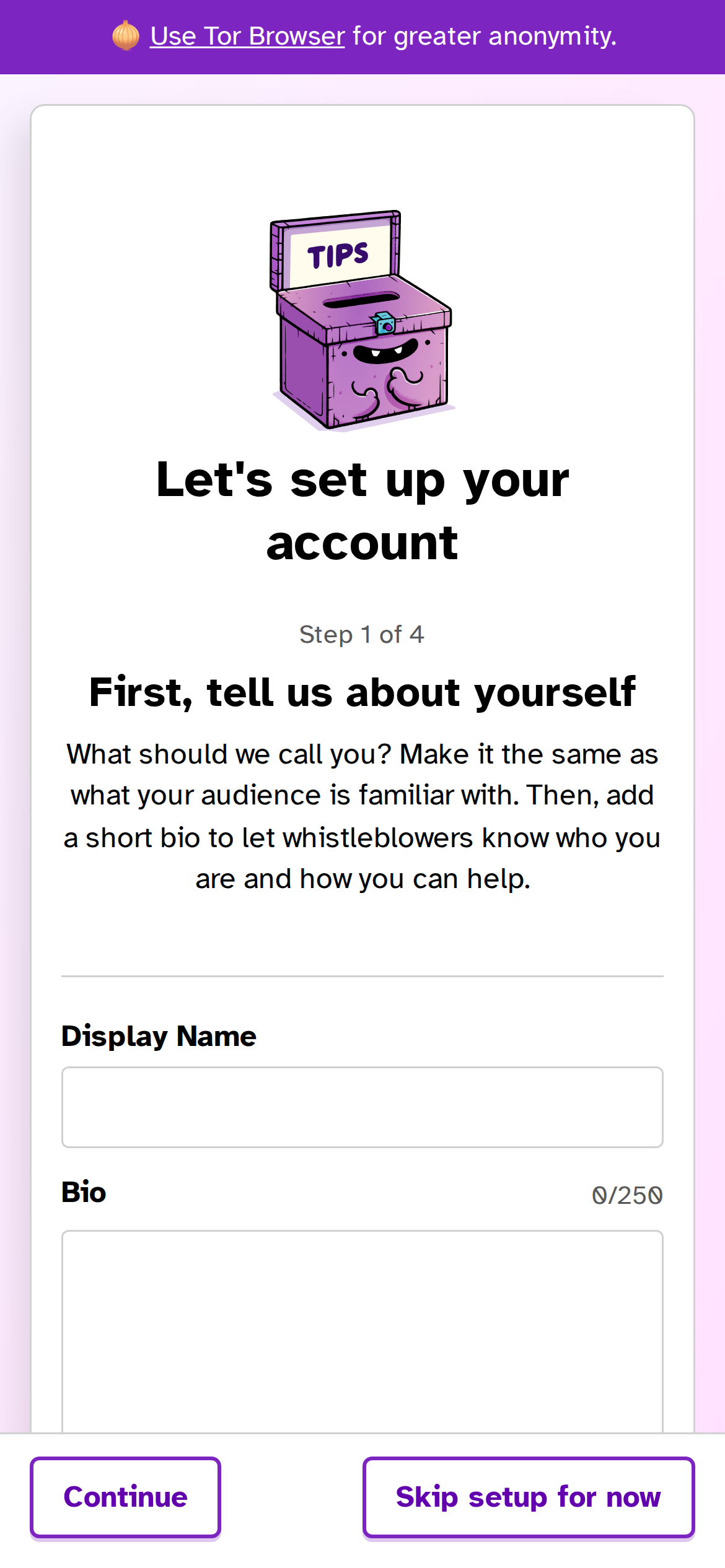
During onboarding, recipients are prompted to add identifying profile information before treating the account as launch-ready.
A Shareable Tip Line Only Helps If The Page Is Ready
Hush Line's sharing guidance is straightforward: once the account is prepared, copy the public profile URL and add it to places people already look for contact information, including a website, email signature, and social media. Recipients can also opt in to the public user directory so whistleblowers can find them there.
For a board or ethics office, that means the launch sequence should be deliberate:
- Complete the profile so the page identifies the recipient clearly.
- Add public guidance so the tip line explains what the office wants people to know before reporting.
- Decide whether the public user directory supports the organization's discovery needs.
- Only then publish the shareable URL across the channels where employees, vendors, or members of the public will encounter it.
This order matters because the shareable link is not just a technical endpoint. It is the public front door to the reporting process. Once it appears on a governance page or in an email footer, people will judge the seriousness of the channel by what they see there.
Why This Matters Operationally
Boards and ethics offices often focus on what happens after a report arrives: routing, confidentiality, triage, and follow-up. Those are important questions. But the launch page shapes report quality before any of that begins.
If the page is specific, a reporter has a better chance of choosing the right channel and providing useful context. If the page is generic, the organization creates unnecessary ambiguity on day one.
Hush Line helps close that gap in a practical way:
- the profile gives the recipient a clear identity
- custom guidance lets the office set expectations before submission
- custom branding helps the page read as an official channel
- the shareable public URL makes it easy to publish the channel once the page is ready
For employers and boards, that combination is what makes a tip line feel operational instead of merely available.
The Practical Takeaway
Before a board or ethics office launches a Hush Line publicly, it should treat the tip line page as part of the reporting program itself. The page should identify the recipient, explain the channel's purpose, and give reporters enough guidance to start well.
Hush Line's profile setup, public guidance, and shareable tip line make that possible without requiring a separate app or account from the person reporting. That is the practical value before launch: the first screen already does part of the intake work.