How Recipients Can Get Encryption Working Faster With Proton Key Lookup

For journalists, lawyers, and administrators, the hardest part of launching a secure intake channel is often not deciding to do it. It is getting the recipient account ready before the first message arrives. If encryption setup feels fiddly on day one, people delay launch, postpone testing, or publish the link before the account is fully prepared.
Hush Line reduces that friction during onboarding by letting recipients import a Proton public key directly from Proton instead of manually exporting and pasting a PGP key. That keeps the setup path shorter while preserving the strong default that messages should be end-to-end encrypted before a tip line is shared publicly.
The Real-World Scenario
Imagine a small newsroom editor, an intake coordinator at a legal aid office, or an administrator standing up a reporting channel for the first time. They want a public Hush Line page live quickly so people can start reaching them, but they also do not want to cut corners on message security.
This is exactly where manual PGP setup can slow things down. If the recipient has to stop and figure out key export steps before they have even finished basic account setup, launch gets pushed back. In practice, that means more time spent in configuration and less time getting a working intake channel in front of the people who need it.
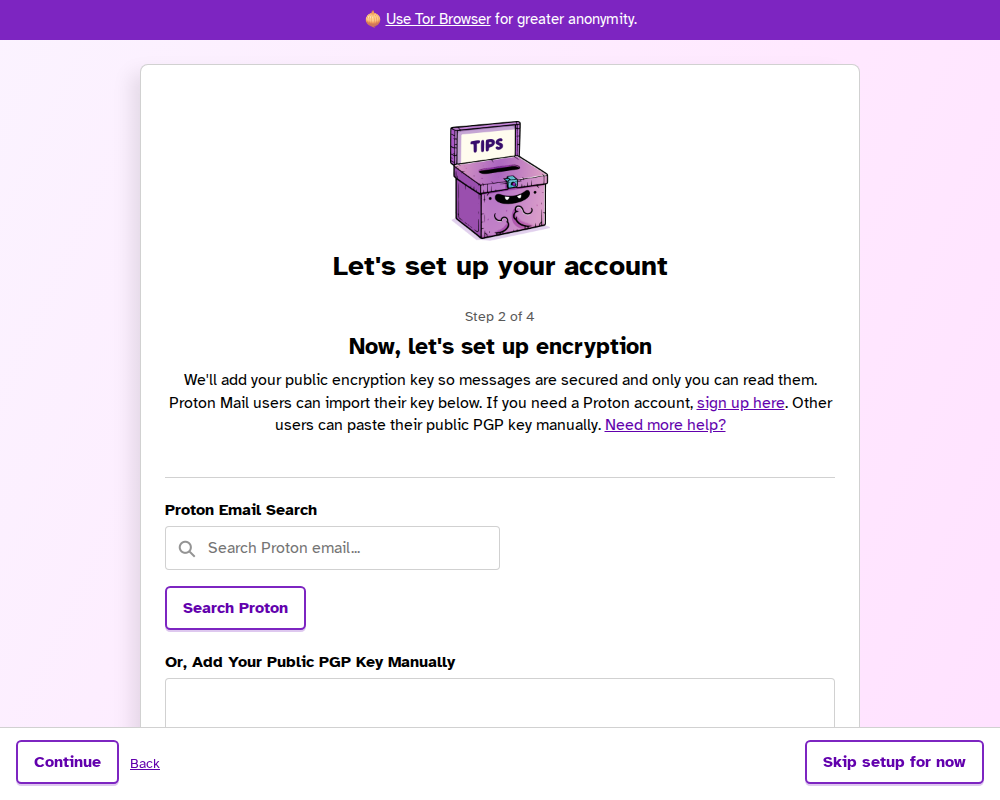
During onboarding, recipients can search for a Proton email address and import the public key without leaving the setup flow.
Where Proton Key Lookup Helps
Hush Line's documented account setup flow includes a Proton-specific shortcut in Settings > Encryption > Proton Key Import. Instead of manually pasting a public key, the recipient can enter their Proton email address and click Search Proton.
That matters because it removes a fragile early step from onboarding:
- the recipient does not need to manually export a key before continuing
- the encryption step is easier to complete during the initial setup flow
- the account is more likely to be ready before the tip line is shared
For teams trying to launch quickly, that is a practical improvement, not a cosmetic one. The easier it is to finish encryption correctly, the less temptation there is to "come back to it later."
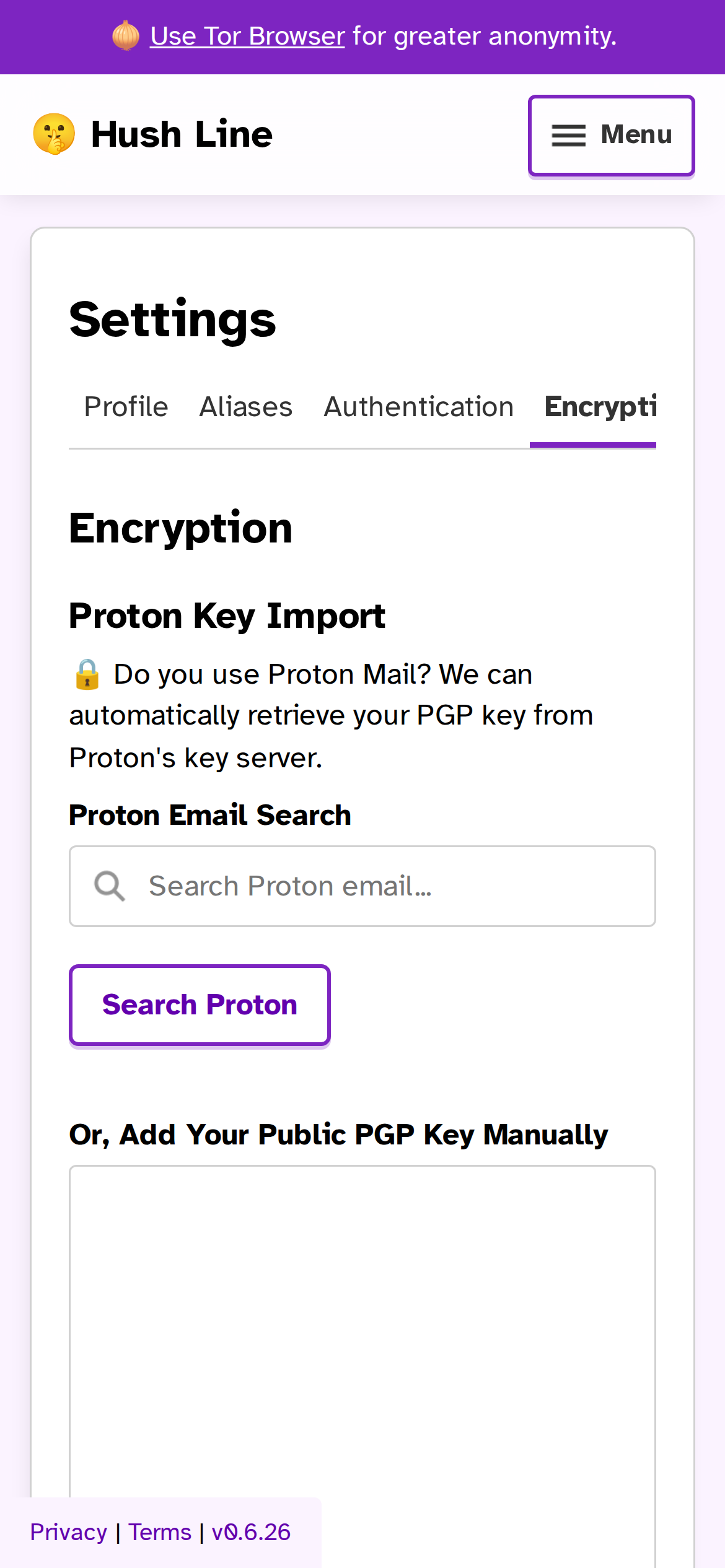
The same Proton key import flow remains available later in Settings, so recipients can finish or revise encryption setup after onboarding.
A Practical Fast-Launch Workflow
For a new recipient who wants to get a secure Hush Line page live quickly, the shortest documented path looks like this:
- Complete the onboarding flow, or return to it later from the Account Setup link in the header if it was skipped.
- Add profile details so the public page clearly identifies who the line is for.
- In Settings > Encryption, use Proton Key Import, enter the Proton address, and click Search Proton.
- In message forwarding, use that same Proton email address so messages are delivered to the inbox tied to the imported key.
- In Settings > Authentication > Two-Factor Authentication, enable 2FA before treating the account as fully operational.
That sequence keeps setup focused on the essentials: identity, encryption, delivery, and account protection.
Faster Setup Still Supports Strong Defaults
Speed only helps if it does not weaken the baseline. Hush Line's setup guidance does not frame Proton lookup as a shortcut around encryption. It is a faster way to complete the encryption step that recipients already need.
That distinction matters for operational teams. A lawyer or newsroom administrator may need to get a tip line online quickly, but they still need messages delivered securely and the account protected with 2FA. Faster key setup reduces launch friction without changing those requirements.
It also makes onboarding easier for people who are not PGP experts. A recipient can get through the initial configuration with fewer opportunities to make mistakes, while still ending up with an account that is prepared to receive encrypted messages.
Why This Matters On Day One
The first day of a secure intake channel is usually messy. People are still writing profile copy, deciding who monitors messages, and testing whether forwarding works. That is precisely when unnecessary setup friction does the most damage.
Proton key lookup helps new recipients get to a working state faster:
- encryption is easier to finish during onboarding
- forwarding setup stays aligned with the same Proton address
- the account can be secured with 2FA before launch
- the public tip line can be shared with fewer unresolved setup tasks
For journalists, lawyers, and administrators, that is the real benefit. Hush Line makes it easier to launch a secure intake page quickly without treating secure defaults as optional.