Small Usability Details That Matter When Reporting Under Stress

When people evaluate secure reporting tools, they usually talk about encryption, anonymity, or whether a service supports Tor. Those things matter. But organizers and activists often run into a different problem first: if the interface is uncomfortable, confusing, or hard to use on a phone, people stop using it when the pressure is on.
That sounds minor until you think about what real reporting conditions look like. Someone may be checking a disclosure late at night, on a dim screen, while traveling, or in the middle of a tense situation where attention span is already low. In those moments, usability is part of operational safety. A workflow that feels fragile or exhausting gets abandoned quickly, even if the underlying security model is solid.
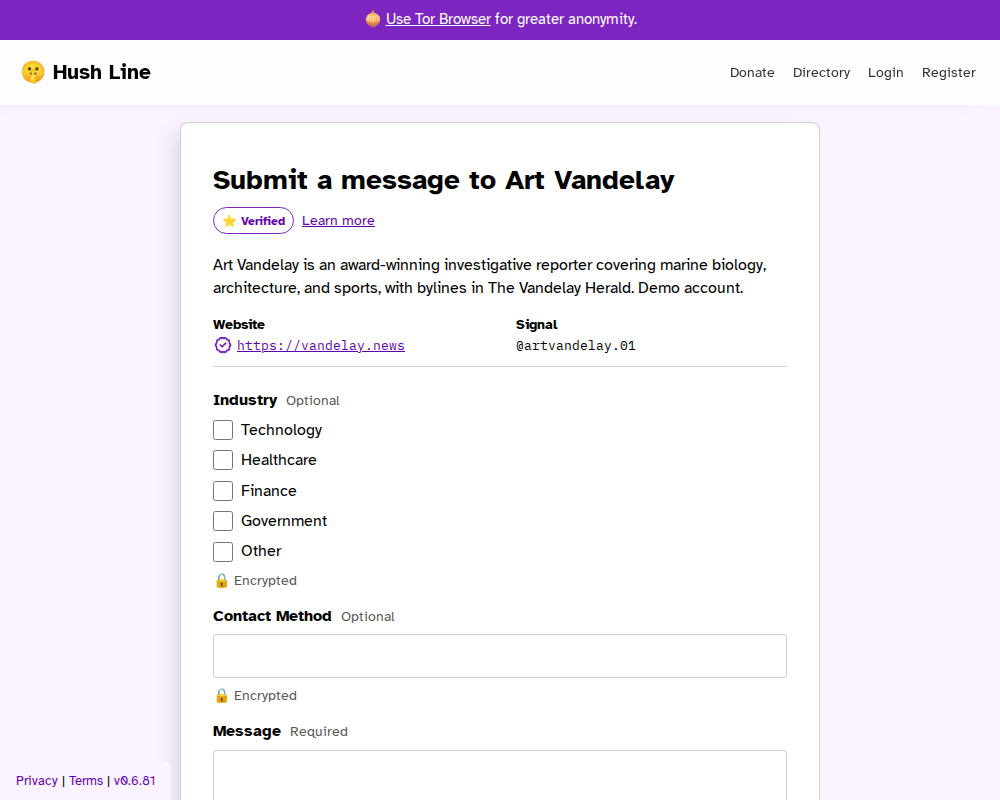
Desktop submitter view: a public tip line should be readable and straightforward before someone sends a sensitive message.
Stress Changes What “Good UX” Means
In calm conditions, people tolerate a lot. They will click around, reread labels, and hunt through settings if they have time. Under stress, that patience disappears.
For organizers and activists, reporting work can happen in irregular bursts. A message might arrive during an event, after a confrontation, or while someone is already juggling encrypted chats, travel, and other urgent tasks. If the recipient has to fight glare from a bright interface, mentally reconstruct where messages live, or delay setup because security steps feel too heavy, that friction accumulates fast.
This is why small details matter more than teams sometimes admit:
- readable screens in low light
- a mobile-friendly submission flow
- a path that does not force extra setup before someone can ask for help
Those are not “nice to have” details. They determine whether secure reporting becomes part of someone’s routine or something they postpone.
Dark Mode Is About Endurance, Not Aesthetic Preference
Hush Line supports dark mode automatically based on the operating system setting. That means if someone already configures their device to shift into dark mode in the evening, Hush Line follows that choice instead of forcing another manual toggle.
That behavior matters because it removes one more decision. A recipient does not have to remember to flip the interface every night or hunt through settings while tired. The screen simply behaves like the rest of the device.
For people writing or reviewing a disclosure in low-light conditions, that consistency helps with comfort and endurance. It is easier to stay with the task longer when the interface is not blasting a bright white screen into your face. For people who depend on their phones during travel or field work, that translates into something practical: less visual fatigue, fewer reasons to put the work off, and a lower chance that a secure workflow gets replaced by an easier but weaker one.
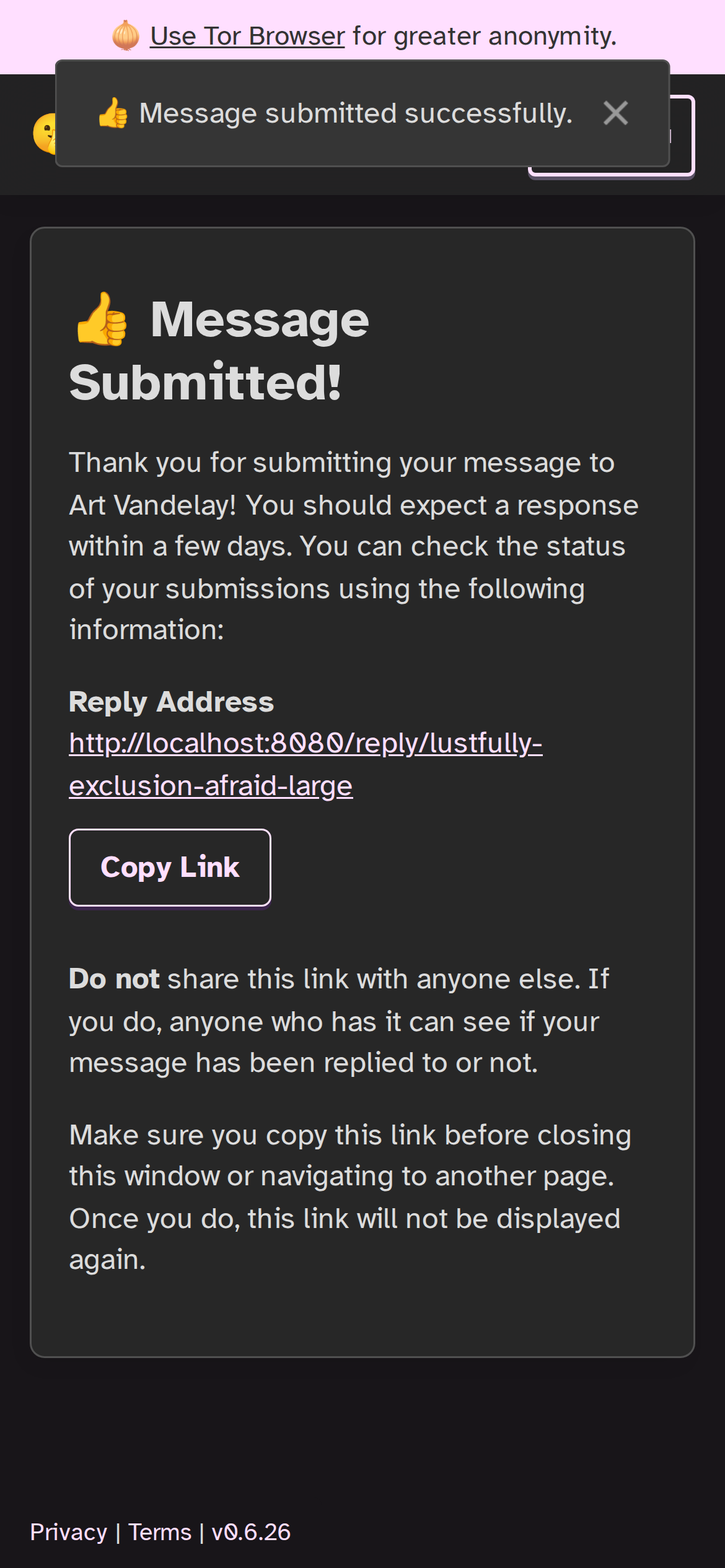
Mobile submitter view: after sending a message, the follow-up details still need to be legible and easy to keep.
Mobile Matters Because That’s Where Real Work Happens
A lot of reporting tools still feel like they were designed around a desktop-first assumption. But people making a sensitive disclosure often need to act from a phone.
Hush Line’s public submission flow supports mobile use, and that changes the equation. If someone can open a tip line, understand where they are, and send a message without needing a laptop, they are more likely to follow through.
That matters for a few reasons:
- people can disclose information when they are away from a desk
- they can stay oriented without switching to an ad hoc chat workflow
- they can keep using the intended reporting channel instead of moving the work somewhere less appropriate
This is especially important when timing is unpredictable. A source may only have a few minutes of privacy to send a message. A mobile-friendly submission flow supports that moment without pretending everyone has time for a long setup process.
Low-Friction Access Protects The Workflow Earlier
Usability is not only about reading text on a screen. It starts before the first message is sent.
If someone has to install an app, create an account, or tie the interaction to a phone number before they can even begin, the disclosure may never happen. Hush Line reduces that friction by letting people use a public tip line directly in the browser. For higher-risk situations, the Onion Service remains available without changing the basic idea: reach the reporting channel quickly, then decide how much more protection is needed.
That is the right kind of balance: a workflow that is simple to begin, without forcing people into the usual hurdles that make sensitive outreach feel risky or exhausting.
For organizers and activists, this balance matters. A system that is too loose is risky. A system that is too annoying gets ignored. Strong privacy protections only help if people are actually willing to start using the tool in the first place.
Secure Workflows Fail When They Feel Brittle
One of the biggest design mistakes in privacy tooling is assuming people will tolerate discomfort forever because the stakes are serious. In reality, serious stakes make comfort and clarity more important.
If a person is tired, worried, or operating in an unstable environment, they are going to choose whatever feels manageable in the moment. That might mean checking messages later than they should. It might mean forwarding something into another tool just because it is easier to read there. It might mean abandoning a secure process because the interface feels like too much work on a phone.
Good usability reduces the temptation to break your own process.
That is why dark mode, mobile readability, and a low-friction way to begin a disclosure belong in the same conversation. Together, they make it easier for people to keep using the secure channel they chose in the first place.
The Practical Takeaway
For organizers and activists, the right reporting tool is not just the one with the strongest technical claims. It is the one you can keep using when you are tired, rushed, and handling something sensitive from a phone.
Hush Line’s automatic dark mode, mobile-friendly submission flow, and low-friction browser-based access help close that gap. They do not replace the importance of encryption or anonymity. They make those protections easier to live with in the real world.
That is what good usability should do in a high-stress environment: remove excuses to leave the secure path.